Showing posts with label science. Show all posts

Thursday, April 29, 2010

Chemistry Education Digital Library

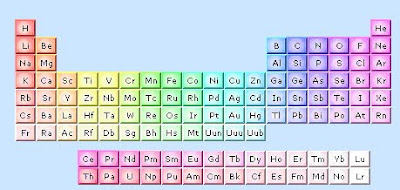
The Chemistry Educational Digital Library is a wonderful resource to Chemistry teachers and students! There are 3 main areas on the site. First, there is a video archive of science videos where you can investigate what you are seeing and why it happens. Practice being a scientist! Then there is an interactive periodic table (see below.) While this is not my favorite interactive table that I have seen online, it's still another resource that may appeal to learners.
Finally, there is an area where you can view animated models of different common molecules.

At the top of the page, click on Collections and Community for additional links and resources.

Related Post:

Wednesday, April 21, 2010

8 Wonders of the Solar System


I stumbled upon a new site called "8 Wonders of the Solar System". It has breath-taking artwork from artist Ron Miller. and is structured to read like a tour guide if you were to visit these places. Some of the stops on this virtual field trip: the rings of Saturn, Jupiter's Red Spot, Valles Marineris - Mars, Geysers of Enceladus, Geysers of Triton, and a few more for you to discover!

Monday, May 11, 2009

Animal Web Cams

Looking for animal web cams to enhance your science instruction? Here are a few to get your started:

Animal Cams at the Smithsonian National Zoo
This page from the National Zoo has many cams to choose from including: gorilla, lion, panda, octopus, tamarin, leopard, flamingo, and more! One of my friends told me about this site, and now I can share it with you!

Monterey Bay Aquarium Web Cams
Monterey's site includes cams that feature otters, a kelp forest, penguins, and a live view of the bay underwater.

Biodiversity Research Institute's Eagle Cam
This is one of my favorites. You can choose to go to this page and watch 15 second updates, or you can click the preview window to see a live feed (recommended). I used this site with my class and we were able to watch a pair of bald eagles feed their babies!


RELATED POSTS:
SnagFilms
Biology Resources for Teachers
Food Chain Games
Make a Wild Animal
Way Cool Science Sites
Science Videos on Vimeo

Friday, April 10, 2009

Earth Day Activities for K-8


With Earth Day approaching, I found two sites that are appropriate for K-8 learners.

The first is Earth Day from Scholastic. Here you will find activities for K-8 including:
  • A Water Experiment
  • Recycling Game
  • Earth Day CyberHunt
  • Earth Day Math Hunt
  • and more

The second site is also from Scholastic: Kids' Environmental Report Card. This is a chance for kids to make their voices heard as they vote on topics that are important to them. You can also see the results from last year's Environmental Report Card to compare how issues are changing.

Thursday, April 2, 2009

SnagFilms Film Widget

SnagFilms allows you to place documentary widgets on your blog or social networking site. The one I have embedded into my blog is about Great White Sharks. The movies are shorter than the original ones that aired on National Geographic, but they are still high quality.

Pros:
You can link to documentaries using widgets on your blog.

Cons:
The widget links directly to the site itself and does not play within your blog.
The video will play 1-2 short commercials before the documentary that you cannot skip.


Biology Resources for Teachers


ARKive's mission is to bring together the best photographs and video footage of threatened species around the world in hopes of having a concise, organized database of these organisms. They partnered with some of the best wildlife photographers in the world so that teachers, students, and the general public may learn more about these threatened species and act to save them. You can search for species by their classification (mammal, amphibian, insect, plant, etc), and each threatened species you click on provides detailed information about that species.


There is also an educator section of ARKive, which I was pleasantly surprised to see has FREE multimedia resources on topics such as: plant life cycles, adaptations, food chains and webs, habitats, ecosystems, predator and prey, natural selection, and much more. The resources are PowerPoint presentations with embedded videos on the topic. This is truly a worthwhile site!


Biology in Motion

Biology in Motion is is a site dedicated to providing short animations to explain biology concepts such as: enzyme characteristics and intestinal gas. In addition, there are several interactive activities and simulations that give students practice with concepts like: Meiosis, Mitosis, evolution, digestion, enery, cell division, and the cardiovascular system. While this site is not as extensive as ARKive, it is a helpful supplemental site if you are teaching one of these concepts.

Thursday, February 19, 2009

Food Chain Games for Kids


I just came across a food chain simulation by searching other people's bookmarks in delicious.com. Sunny Meadows provides an overview of the food chain, and then allows you to play a game to simulate what would happen "in the meadow" depending on how many predators, prey, and plants you decide to add. As the years tick by, you can watch as the population of animals increase and decrease based on their food supply. This is a great way to teach this concept. Even though the graphics leave much to be desired (see below), the idea is superb and so far its the only one I have found to illustrate this idea.

Here are a few other good food chain games:

PREVIOUS SCIENCE POSTS:

Science Videos on Vimeo

Visit Planet Science!

Interactive Dinosaur Sites

Astronomy Sites for Classroom Use


Visit Mars with Google Mars

Earth Guide


Welcome Google Sky!

Way Cool Science Sites for Your Class

Periodic Table 2008 Style


Make a Wild Animal!

Tuesday, January 27, 2009

Interactive Dinosaur Websites for Kids


Smithsonian's Virtual Dinosaur Dig is the perfect way to introduce kids to Paleobiology and fossils! Once you launch the game, students begin by unearthing the fossils by chiseling them from the ground. After carefully packaging the bones, they get shipped back to the museum for assembly. Kids put the bones together like a giant puzzle to see what they have found. Then you can read all about your dinosaur! Very cool. Fun, fun!


Discovery Channel's Dinosaur Central has many different interactive dinosaur sections that would be motivating for children. Besides an extensive video clip selection, Discovery also features different areas that let kids explore dinosaurs on their own. For example, there is a place to "explore a dinosaur mummy" where the fossils are on display and the student can zoom into different areas of the skeleton for more information. The "dinosaur viewer" is a definite place to investigate since there are several dinosaurs to choose from to learn about how they looked (3D 360 degree view!), how they moved (animated!), how big they are compared to an average person, and when they lived. There is a Prehistoric Beast Quiz and a Cretaceous Quiz to test your knowledge. Last, check out their dinosaur puzzles!

RELATED POSTS:

Science Videos on Vimeo

Visit Planet Science!

Monday, January 5, 2009

Astronomy Sites

Wiki Sky is a site that shows outer space with incredibly beautiful photographs. Zoom in and out of constellations, nebulas, galaxies, and more. While I don't think this is as useful or detailed as Google Sky, it is another good tool for teachers and students to use as reference.


Also, hop on over to The Tech Museum's Satellite Builder sponsored by Lockheed Martin. The site answers questions such as, "What is a satellite and what do they do?" Furthermore, there is an interactive section where you can build your own satellite or learn about the anatomy of a satellite.


RELATED POSTS:

Science Videos on Vimeo

Astronomy Sites for Classroom Use

Visit Mars with Google Mars

Visit Planet Science!

Earth Guide

Welcome Google Sky!

Sunday, January 4, 2009

Science Videos on Vimeo

Vimeo is a video sharing community that allows you to upload videos and control who sees them. Users can comment on videos much like youtube or teachertube. As with any video, it's strongly encouraged that teachers preview videos on vimeo before using any of them with their classes. Having said this, there is a section of simple science videos on vimeo that are worth checking out. I watched one on the Water Cycle and on Teeth (see below). It's one more site that can be a valuable resource for teachers. However, wouldn't it be great to have your students create a video for your science class and upload it to this site? As you might notice, none of these videos use students in the films. Instead, they use other images and footage to create the videos.


3A Teeth Video from Simple Science on Vimeo.

Wednesday, December 31, 2008

Astronomy Sites for Classroom Use

If you read this blog at all, you know my fascination with astronomy websites. I love space. I wanted to be an astronaut until the Challenger disaster in 1985. Now I use the web to get my fix on astronomy. Here are some more good ones:

Human Space Flight is a website where you can enter your city to see which space objects will fly by your night sky for you to see. It gives you the time of the object and how long it will take to pass over your location. Look up satellites or space shuttles!


Astronomy Picture of the Day
I did not post an example picture of Astronomy Picture of the Day because the NASA photographer does not give rights to copy his pictures without written permission, but these photographs are amazing and would lend themselves to good teaching points in the classroom.

The Exploratorium’s Observatory

The Observatory has great resources for Venus, Saturn, Mars, Mercury, sunspots and auroras. The interactive format allows you to click on different parts of the image to see more information. In addition, there are many more interactive sections of the site such as: Your Weight on Other Worlds and Your Age on Other Worlds.


The Solar System Visualizer

At first the Solar System Visualizer looks to be a very primitive site. There is an image of our solar system with the planets orbiting the sun. Okay… now what? The magic comes in by clicking on one of the planets - try Saturn or Uranus for example. You will see the planet in the middle of the screen with its moons orbiting in animation. BUT then you need to ZOOM OUT. Did you know there were so many bodies orbiting our planets? It was amazing. Check it out.

RELATED POSTS
Visit Mars with Google Mars
Visit Planet Science!
Earth Guide
Welcome Google Sky!

Interactive Whiteboard Links


If you have an interactive whiteboard (Promethean, SMART, or Polyvision), it’s always nice to know where you can find websites that work especially well with your board. A site that may not be suitable to use with your class in the computer lab could be very valuable once you use it with your interactive whiteboard in a whole group instructional setting.

As I was searching for interactive whiteboard links, I came across this site by ETTC (Educational Technology Training Center). The site has tons of links suitable for your interactive whiteboard. But the best part of the site is that the links are broken down by elementary sites, middle school sites, and high school sites. ETTC also separates the links by subject area: math, language arts, science, social studies, music, PE, art, software, tutorials, and other.

It’s the best list I have seen to date. I looked at about 70% of the sites under “elementary” and was astonished that the sites were of high quality. There is nothing worse than a hotlist of sites that stink.

Monday, December 29, 2008

Science Contest for Kids: ExploraVision


Thanks to Vicki Davis’s Cool Cat Teacher blog, I learned about Toshiba/NSTA’s ExploraVision contest for kids K-12. The contest challenges teams of students (working under a mentor) to:
  • choose a technology that is present in their lives
  • explore how it works, when and why it was invented
  • imagine and explore what the technology would be 20 years from now
  • write an in-depth report to convey their vision to others

Prizes range from $5,000 - $10,000 savings bonds, a toshiba notebook for the school, and special gifts for the coaches and mentors. See the website for complete details.

Why should students enter? Strengthen the following skills:

  • higher-order thinking
  • communication
  • organization
  • imagination
  • research
  • collaboration
  • writing skills

Deadline is January 28, 2009. What are you waiting for?


Image by ILoveButter from Flickr.


RELATED POSTS:

Way Cool Science Sites for Your Class

Visit Planet Science!

Periodic Table 2008 Style

Make a Wild Animal!

Way Cool Science Sites for Your Class


Are you in need of some WAY COOL science sites for your class? Here are a few of my favorites:

Discovery Channel’s Volcano Explorer: Find volcanoes around the world; go inside a volcano, build your own and watch it erupt.

Volcano Maker: Build a volcano and watch it erupt. After you build your volcano, click the keywords to learn about the parts of a volcano. Cool sound effects. Very dramatic.

CNN’s Anatomy of a Volcano: Short, but effective, description of how a volcano erupts.

National Geographic’s Forces of Nature: Tornadoes, Volcanoes, Hurricanes, and Earthquakes, OH MY! Each section of the website has information and an interactive section. Facts and fun in one!

Explore Mars Now: Realistic images allow students to simulate what it could be like to explore Mars with robots and vehicles.

The Virtual Body: Interactive tour of the different systems of the human body. Available in English or Spanish. There is also a choice for a “narrated tour”.

Fossil Dig: Aimed at elementary school kids, this interactive dig is takes you along as you search for fossils.

Rock Flashcards: This site reads the name of the rock to you as it shows a picture of the rock.

NOVA ScienceNOW: science videos and interactive activities

Explore Butterflies! Build a butterfly habitat

3D Ant Farm: Need I say more?

EdHeads - Activate your mind: weather, simple machines, virtual knee surgery, hip replacement, etc

RELATED POSTS:

Period Table: 2008 Style

Remember the boring periodic table from chemistry class in high school? Now there is a better way to learn about the elements.

The Periodic Table of Videos has an educational video on every element on the table. Click your element and a YouTube video will launch telling you all about it. The nice feature is that if your school system blocks YouTube, you can view the videos on an alternate server.

Tom Lehrer’s “The Elements”

Tom Lehrer’s “The Elements” is a sing along song created in Flash of all of the elements on the Periodic Table. It’s oddly addicting.

The Visual Elements Periodic Table

The Visual Elements Periodic Table displays a real photograph depicting each element. Scrolling over the pictures shows the element name and abbreviation. If you click the element, a separate window appears with basic information about the element.

Interactives: The Periodic Table


Interactives: The Periodic Table takes a unique approach to the periodic table. First, there are a series of tutorials for the student followed by 5 different interactive games to reinforce knowledge: Name that Atom, Building Elements, Which One of These Elements Doesn’t Belong?, Isotopes Quiz, and Ionic Bonding.


In addition, Interactive’s home page contains many interactive games to support learning in science, history, math, language arts, and the arts that are geared for middle and high school students.

Sunday, December 28, 2008

Visit Mars with Google Mars


While Google Mars is not as exciting as Google Earth, it is still worth a visit. You can tour the planet by elevation, infrared, or visible surface. Zoom in or out of the planet and search by plains, ridges, craters, mountains, canyons, dunes, spacecraft landings, etc. Once you search for a specific place, often Google Mars will link to an article that you can read for more information.


On the “About Google Mars” page, Google provides this introduction, “This map of Mars, published by Percival Lowell in 1895, was the result of many years spent carefully studying the Red Planet through his telescope. Now you can do the same through your web browser. In collaboration with NASA researchers at Arizona State University, we’ve created some of the most detailed scientific maps of Mars ever made.”


I enjoyed it! Imagine being able to explore Mars from the comfort of your classroom. Take a virtual field trip today!

Monday, December 15, 2008

Visit Planet Science! So Cool!

Planet Science is a site from the UK, which sometimes causes educators in the USA to pass it by. I don’t know why - many of the interactive, educational sites worth visiting come from the UK. Ok, so they spell things a little differently and use the metric system (like everywhere else but here)! Their sites still rock!

Planet Science has interactive games for K-12 students. I played a few of them and have enjoyed ALL of them so far. The first one I tried was the Smoothie maker. You can choose the ingredients to add to a blender to make your own smoothie. When you’re done, start the blender! The site will tell you how nutritious your smoothie is complete with how many grams of sugar and how many carbs you just drank in your smoothie. The best part is the “Smoothie” song the site plays as it mixes your drink. So much fun!

Next I tried Planet 10: World Builder (because Earth can’t last forever). The student creates a new planet by choosing many, many different things such as: size, orbit, atmosphere, shape, moons, terrain, organisms, distance from sun, etc. After you make all of your choices, you launch your planet into the atmosphere and see if it “survives” in space. After a lot of careful planning, I managed to burn up all the living organisms, evaporated my atmosphere, and got hit by a comet. Disaster. But so much fun!

Planet 10: Solar System is also a nice resource. Students can zoom into different planets to learn more about them. Fun! It has better graphics than Google Sky, but I’m not sure if the information is as detailed as Google Sky.

The site also has a list of science games on the Internet that are worth looking into as well as a parent page to get them involved. I love this site! Thumbs up from me!

Light Doodles: Amazing Site with Connections to Art

I came across a site today called Light Doodles, where an artist (Lori Stotko) uses LCD lights in a dark room to create light pictures. This is possible by setting the camera on an extended shutter speed so that it can capture the movements made by the light. Stuart Nafey is the photographer that documents these pictures. An example of one is below:


Even more amazing is the tutorial page that allows the visitor to see the process that Lori goes through to create a light doodle and how to create light drawing pens. There is a 20 second video that shows Lori at work and is worth checking out.

Art and science teachers can use this site to explain basic concepts. Art teachers can use this to show lines and photography objectives. Science teachers illustrate concepts of light using this site. Check it out, and order some cool notecards with Light Doodles!

Saturday, December 13, 2008

Make a wild animal!


Another great site is Switch Zoo. This site used to be entirely free, but over the last year or so they started packaging the “game” for sale on CD. I have to admit, this is one of my biggest pet peeves as a teacher. You find a great, free site to use with your class, and as soon as you make it part of your routine, the site becomes a paid site. Anyway, some features of this site are still free (just enough to hook you). I had my class create a new animal, print it out in color, and then build a habitat out of clay to match their new animal. Have your class:

  1. Create a name for the new animal
  2. Create a habitat
  3. Explain how the animal adapts to survive in the habitat
  4. Explain what the animal eats, how it gets food, and how it protects itself.
  5. Write a creative story about the new animal: “My New Pet”, “A Strange Day at the Zoo”

Build Your Wild Self: Make yourself into a wild animal!


Okay - I know I feature a lot of websites, but maybe it’s because I know how hard it is to get software approved for classroom use in the schools today. I came across this website called “Build Your Wild Self” put out by New York Zoos and Aquariums. The site starts you will a human boy or girl template, and allows you to change different parts of your body to animal parts. Why would you want to do this? Besides being fun for children and adults, teachers can incorporate this into their classroom for creative writing or science. Just think: Let students create themselves as an animal, print it out, and then write about it. Students can explain how their new animal body parts allow them to survive in the chosen habitat. Or how about different writing topics to go along with this such as:


Explain how your life would be different if you came home from school looking like this.
What sports or activities would you be good at now that you are part animal?


Research the different animals that you picked and why you would want to be like that animal.